



















Introduction
This article explains how labor management system integration connects your LMS, WMS, and ERP platforms to improve visibility and streamline warehouse operations. You’ll learn how labor performance, task execution, and financial data work together, what makes WMS ERP integration effective, and the challenges and benefits of unifying these systems. We’ll also show how real-time warehouse analytics from Rebus help teams move from disconnected processes to a clear, connected view of their entire operation.
Table of Contents
Warehouses generate a constant stream of data about people, tasks, orders, and inventory. The challenge is not collecting the data. The challenge is getting the systems behind that data to work together through effective labor management system integration.
Most operations rely on three core platforms. The Labor Management System (LMS) tracks how work gets done. The Warehouse Management System (WMS) directs and records the work. The Enterprise Resource Planning (ERP) system manages financials and order lifecycles. Each of these systems has a specific purpose, but none of them tells the full story on its own.
When LMS, WMS, and ERP platforms operate separately, leaders only get pieces of the truth. They can’t see how labor impacts costs, or understand how order flow influences workload, or how staffing decisions affect accuracy. They end up stitching reports together by hand and making decisions with incomplete information.
Integrating these systems brings all the data together. It creates a unified operational environment where data flows automatically and updates in real time, removes manual reporting, and gives operations teams a complete, connected view of labor, tasks, and cost. And it turns the warehouse into a predictable, efficient, and data driven environment.
This guide explains how the systems connect, what data moves between them, the technology behind integration, the benefits, and the steps that help teams succeed during implementation.

Why Labor Management Integration Matters
Disconnection creates slow, reactive operations
Many warehouses still run on fragmented data. Supervisors pull task information from the WMS. HR teams run labor reports separately. Finance works from its own ERP dataset. When teams do not share a single source of truth, they lose visibility into what is really happening on the floor.
The consequences are familiar.
Leaders react to problems instead of anticipating them.
Reports take too long to build.
Performance issues show up after they have already hurt throughput.
Forecasting becomes guesswork.
Disconnected systems allow errors and inefficiencies to stay hidden. Integration removes those blind spots and gives teams the information they need to respond with precision.
Labor data drives cost, service, and throughput
Labor is the most powerful lever in the warehouse. It influences cost per order, speed, accuracy, morale, and service levels. When labor performance data stays siloed inside the LMS, the rest of the operation cannot act on it.
Integrating labor data with WMS and ERP platforms allows the entire organization to understand the real impact of workforce performance. Leaders can connect the dots between task execution, staffing levels, service outcomes, and cost.
With complete visibility, labor becomes a strategic tool rather than a constraint.
Understanding LMS, WMS, and ERP and How They Connect
What each system does for the warehouse
Labor Management System (LMS)
The LMS measures how work is performed. It calculates labor standards, tracks performance against engineered times, records indirect activity, measures utilization, and reports productivity trends. It shows how much effort goes into moving every order through the building.
Warehouse Management System (WMS)
The WMS controls daily operations. It manages receiving, putaway, picking, replenishment, cycle counting, slotting, and shipping. It directs tasks to associates and records every step of item movement across the facility.
Enterprise Resource Planning System (ERP)
The ERP system ties the warehouse to the rest of the business. It manages procurement, purchase orders, sales orders, inventory ownership, billing, and corporate financials. It carries the information that drives forecasting, budgeting, and company-wide reporting.
Each system plays an important role. None of them replace the others. And none of them provide the full picture on its own.
How data moves in a connected environment
A unified operation depends on accurate and timely data movement between systems. The most common data flows include:
- WMS to LMS: Task details, timestamps, order attributes, and item-level data feed labor standards and performance analytics.
- LMS to ERP: Labor cost, utilization, and staffing insights support financial planning and cost analysis.
- ERP to WMS and LMS: Forecasts, order volume projections, and inventory changes guide staffing and workload planning.
This creates a closed, continuous loop that links planning, execution, and financial outcomes.
When these systems work together, leaders gain a single source of truth for labor, tasks, and cost, supported by the real-time insights delivered through Rebus Inventory & Process Analytics.
Why unified visibility matters at every level
When LMS, WMS, and ERP platforms stay connected, leaders can:
- See how labor performance influences cost and throughput
- Understand exactly where bottlenecks begin
- Identify the tasks that consume the most indirect time
- Plan staffing based on real volume and performance trends
- Trace errors or delays back to specific tasks or conditions
- Align operational decisions with financial priorities
Disconnected systems force teams to choose between speed and accuracy. Integration provides both.

Benefits of Integrating Labor Management with WMS and ERP
Real time productivity visibility for supervisors
When data feeds the LMS continuously, supervisors see performance metrics instantly. They can coach the moment trends shift, reassign work before a backlog forms, and identify top performers and support associates who need guidance.
This helps the floor run smoothly and reduces delays.
Real time visibility becomes possible when your LMS receives continuous task data from the WMS, which is exactly how the Rebus Labor Management System helps teams monitor performance as work happens.
Automated data sharing with no manual reporting
Manual reporting consumes hours every week. Integration eliminates this work. Data moves automatically between systems without extra effort. Teams get the information they need without exporting, cleaning, or reconciling spreadsheets.
This improves data quality and frees supervisors to focus on coaching and throughput.
Stronger forecasting and labor planning
With connected systems, operations leaders can forecast labor needs using:
- Real order volume from the ERP
- Real task times from the WMS
- Real productivity trends from the LMS
This creates staffing plans that adjust to seasonal peaks, promotions, and daily volume swings with far greater accuracy.
Higher employee engagement and transparency
People work better when expectations are clear. Integrated systems provide consistent performance metrics that employees understand and trust. Associates get immediate feedback. Supervisors coach with confidence. Evaluations become fair and objective.
The warehouse culture strengthens as transparency grows.
Book a free demo now
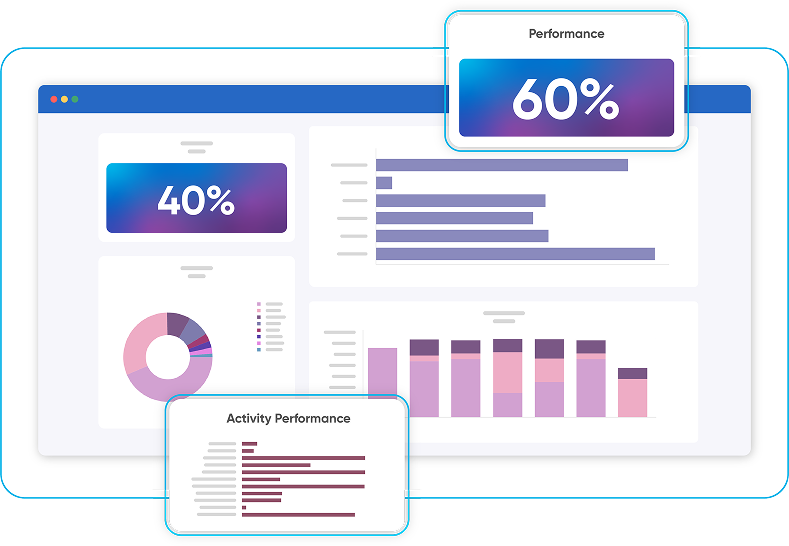
See how Rebus unifies labor, inventory, and automation data to deliver real-time visibility, smarter forecasting, and actionable warehouse insights.
- Real-time visibility across labor, processes, and inventory
- AI-powered forecasting to anticipate change and plan ahead
- Custom dashboards for faster, more confident decisions
The Technology Behind Integration
How APIs support LMS WMS ERP connectivity
APIs are the backbone of modern system integration. They allow applications to exchange data in clean, structured formats without custom scripting. APIs make it easier to:
- Automate data transfers
- Update information continuously
- Maintain consistent data structures
- Connect to cloud or on premises systems
- Scale the integration as needs grow
APIs reduce technical complexity and accelerate implementation.
The role of middleware for legacy systems
Not every warehouse runs on modern software. Older systems may not support APIs or have limited integration tools. Middleware fills this gap. It acts as a translator, allowing legacy systems to participate in real-time data exchange without needing a full upgrade.
Middleware helps facilities modernize at their own pace.
Modern warehouses rely on flexible API connectivity and middleware, which is why the Rebus Integrations framework is designed to connect with both legacy and modern WMS and ERP systems.
Cloud based integration improves reliability and speed
Cloud architecture allows data to flow faster and more reliably. And they also minimize downtime, simplify maintenance, and support high volumes of real-time transactions.
Additionally, cloud-based integration also improves security with managed access controls, encrypted data transfer, and continuous monitoring.
Security and compliance
Labor, financial, and operational data must remain protected. Integrated systems use:
- Role based permissions
- Multi-level authentication
- Encrypted data channels
- Audit trails
- Automated alerts for anomalies
These safeguards maintain compliance and reduce the risk of data exposure.
Key Steps to Successful Integration
Step 1: Assess system readiness and map data flows
Start with a clear understanding of what data each system holds, how it is structured, and what information each team needs. This prevents mismatches and helps define the scope of integration.
Step 2: Align IT, warehouse operations, and finance
Integration supports the entire organization. IT ensures technical feasibility. Operations define workflow needs. Finance verifies reporting accuracy. Collaboration ensures the integration delivers practical results rather than theoretical value.
Step 3: Select integration tools or platforms
Choose solutions that:
- Support real time data
- Work with your current systems
- Offer flexibility as operations evolve
- Provide clear visibility into data flow
- Scale with volume and complexity
This foundation determines how resilient the integration will be in the long term.
Step 4: Test with pilot groups
Start with a limited workflow such as picking, receiving, or packing. Test data mapping, timing, and accuracy before expanding. A strong pilot reduces risk and builds confidence.
Step 5: Monitor and refine once the system is live
After launch, verify that data matches across LMS, WMS, and ERP platforms. Fix exceptions quickly. Review performance reports with supervisors and finance to confirm that the integrated data reflects real work.
Continuous refinement keeps the data reliable.
Overcoming Integration Challenges
Data migration and synchronization
Older data sets often include inconsistencies, missing fields, and outdated formats. Cleaning the data early avoids issues during integration. Synchronization timing is just as important. Systems must agree on when data updates and how often.
Compatibility between legacy systems
Not all WMS or ERP platforms support modern integration standards. Middleware, API gateways, or lightweight data layers can help bridge the gap. Compatibility planning avoids surprises later.
Change management and adoption
Integration changes how people work. Associates receive new performance insights. Supervisors manage based on real-time metrics. Finance gains more accurate cost information. Clear communication and training are essential for smooth adoption.
Measuring ROI from Integrated Warehouse Systems
Key KPIs that show impact
Once LMS, WMS, and ERP systems connect, leaders can monitor:
- Labor cost per order
- Throughput per labor hour
- Order to cash time
- Indirect time reduction
- Error rate and accuracy changes
- Supervisor to associate ratios
- Peak season overtime cost
- Productivity variance across shifts or teams
These metrics reveal the operational and financial impact of integration.
Real operational and financial improvements
Warehouses often see improvements such as:
- Faster fulfillment with fewer delays
- Higher productivity with less overtime
- More accurate staffing
- Reduced indirect or non-value time
- Better alignment between operations and finance
- Lower cost per order during peak periods
Integration increases predictability and reduces firefighting.
How Rebus Enables Unified Warehouse Integration
Rebus provides a direct path to labor management integration with WMS and ERP systems. It was built to handle the complexity of real warehouse operations while delivering simple, clear visibility to the people who run them.
Connecting WMS, ERP, and labor performance
Rebus captures labor performance in real time and connects it directly to the tasks coming from the WMS. It also links labor cost and performance to ERP data, giving finance and operations a unified view of productivity and spending.
This creates a complete operational picture.
API driven architecture designed for flexibility
Rebus uses an API first architecture that works with both modern and legacy systems. It can connect to WMS, ERP, automation equipment, robotics platforms, and custom tools. This reduces the need for custom development and accelerates integration.
Example workflow with Rebus
A typical integration with Rebus includes:
- WMS sends tasks and timestamps to Rebus.
- Rebus LMS measures productivity, standards, and labor cost in real time.
- ERP receives accurate labor and cost data for reporting and forecasting.
- ERP sends updated forecasts and order trends back to Rebus to guide labor planning.
- Supervisors view performance dashboards and adjust work as conditions change.
This closed loop keeps every system in sync.
Conclusion
Integrating LMS, WMS, and ERP systems gives warehouses the clarity and control they need to run efficiently. Labor performance becomes transparent. Operational decisions become faster and more accurate. Financial reporting becomes easier to trust. And the entire warehouse becomes more predictable and easier to manage.
Rebus brings these systems together through real-time data, modern integration tools, and technology built specifically for supply chain operations. When your systems work as one, your operation performs at its best.
See how Rebus LMS connects your workforce and systems.
FAQs about Labor Management System Integration
- What does it mean to integrate a Labor Management System with WMS and ERP?
It means connecting labor performance, operational tasks, and financial data so all systems share information automatically and stay aligned.
- Why is Labor Management integration important?
It removes manual reporting, increases accuracy, and gives leaders real time visibility into performance, cost, and workload.
- How do LMS, WMS, and ERP systems work together?
WMS manages the tasks. LMS measures how the tasks are performed. ERP records orders and financials. Integration creates a continuous link between all three.
- What are the main benefits of integrating Labor Management with WMS and ERP?
Stronger forecasting, higher productivity, better employee engagement, faster reporting, fewer errors, and lower labor costs.
- How does technology enable LMS WMS ERP integration?
APIs, middleware, cloud tools, and secure data synchronization keep information flowing between systems.
- What challenges can occur during the integration process?
Data quality issues, legacy system limits, and change management challenges.
- How long does integration usually take?
Timelines vary based on system readiness and complexity. Most teams start with a focused pilot before expanding.
- How does integration improve labor productivity and accuracy?
Supervisors can respond to changes faster, balancing workloads and improving coaching opportunities.
- Can Rebus integrate with existing WMS and ERP systems?
Yes. Rebus is designed for flexible, API driven integration with a wide range of systems.
- What KPIs can be tracked after integration?
Labor cost per order, throughput per hour, indirect time, order accuracy, and order–to–cash time.