















Introduction
This post covers how to tell whether labor management software that integrates with your WMS is a real fit or just a vendor claim. It explains the three ways these systems typically connect to a WMS and the compatibility tests worth running on any vendor. Use it to ask sharper questions in a demo and avoid a disruptive integration.
Table des matières
When “Works With Your WMS” Doesn’t Hold Up
Every labor management software vendor says it works with your WMS. Few can explain exactly how, and fewer still can tell you what happens to your production systems once the connection goes live. Some of them don’t know themselves.
You’ve probably sat through a demo where a vendor asserted “compatible” and never proved it. Or you inherited an integration someone else built that caused downtime, bad data, or both. Most teams find out which one they got during the first WMS upgrade after go-live. Compatibility claims are cheap to make and expensive to get wrong. Most of what separates a real fit from a sales pitch never makes it into the pitch itself.
Use this framework to test whether labor management software that integrates with your WMS holds up against your systems, your upgrade cycle, and your IT team. It works whether you’re building a shortlist, prepping an RFP, or weeks from a decision. Run the seven tests ahead before you sign a contract, and you’ll know the answer before any vendor volunteers it.
LMS vs. WMS Labor Module: The Three Architectures Buyers Run Into
Every system that handles warehouse labor fits one of three architectures, and knowing which one you’re evaluating tells you most of what you need to know before a vendor says a word.
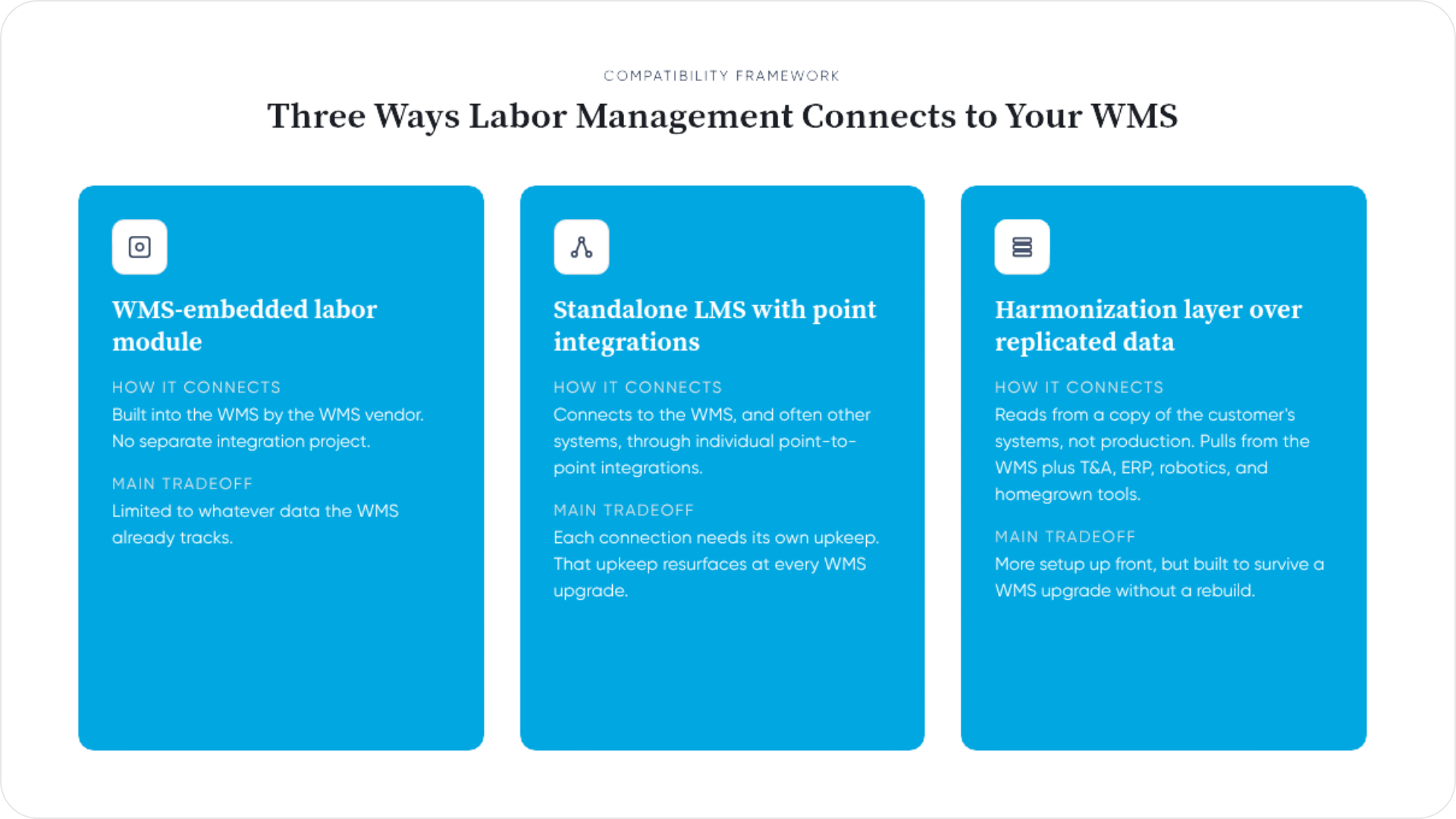
The WMS-embedded labor module. Your WMS vendor built this in, so it installs with minimal setup and no separate integration project. The tradeoff is scope: it can only see what your WMS already tracks. That means indirect time, time and attendance, RF scanner activity, and automation data mostly stay invisible.
A standalone LMS with point integrations. This connects to your WMS and often other systems too, so it can capture labor your WMS never records. The flexibility comes with an integration tax: each point-to-point connection needs its own maintenance, and that tax resurfaces every time your WMS gets upgraded. For a closer look at how that data actually moves between systems, see our guide to integrating labor management with WMS and ERP systems.
A harmonization layer over replicated data. This type of platform reads from a copy of your systems rather than touching production directly, and it typically pulls from time and attendance, ERP, robotics, and homegrown tools alongside the WMS. That mix is what makes a harmonization layer WMS-agnostic: it works the same way whether you run one platform or five. It takes more setup up front than an embedded module, but it survives a WMS upgrade without a rebuild.
None of these three architectures is wrong by itself. Plenty of operations run a WMS labor module and a standalone tool side by side, for different jobs. The question that matters is simple: does your WMS’s labor module already cover what you need to measure? If you’re still working out how labor management software differs from a WMS labor module, start here first. The rest of this framework will make more sense once that distinction is clear.
7 Questions to Ask a Labor Management Software Vendor About Integration
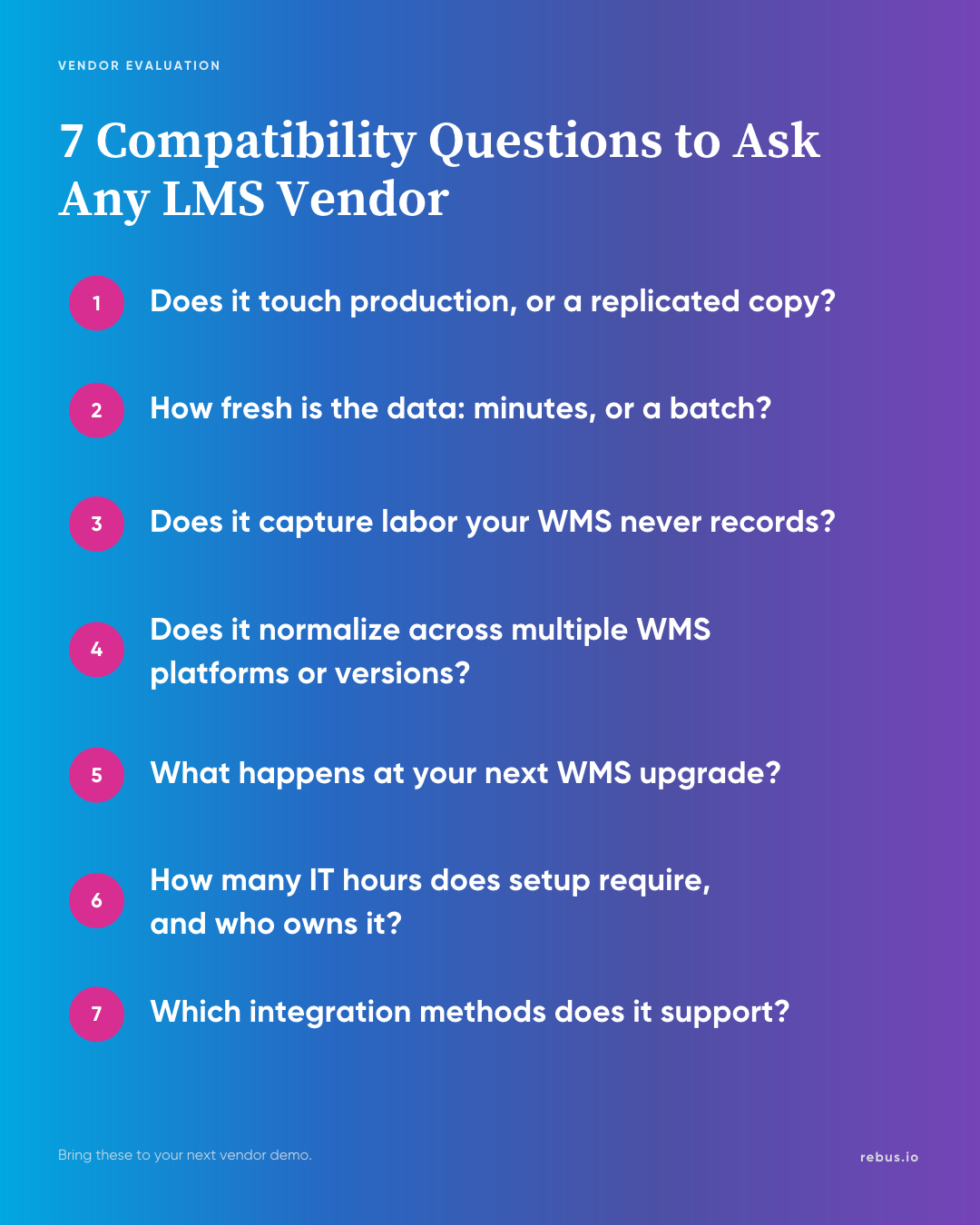
Bring these seven questions to any demo. A vendor who answers them without hedging has probably built the compatibility they’re claiming. A vendor who talks around them deserves further scrutiny.
- Does it touch your production WMS, or a replicated copy? Push past a yes. Ask the vendor exactly how the connection works. “We integrate with your WMS” describes an outcome; “we read from a replicated database over TLS with role-based access” describes a mechanism. That distinction also tells you what happens if the vendor’s software throws a bad query or has an outage: whether your live operation can feel it at all.
- How fresh is the data? Minutes, or an end-of-day batch? That question is really asking whether a labor management system will slow down your WMS. A connection that pulls incremental changes in near real time behaves differently on your production database than one running full nightly extracts.
- Can it capture labor your WMS never records? Indirect time, time and attendance, RF scanner activity, and automation data typically sit outside a WMS’s data model entirely. If the vendor can only reflect what the WMS already tracks, you’ve bought a second window onto the same blind spot, not a wider one.
- Does it normalize across more than one WMS platform or version? You might run two DCs on two different WMS platforms, or one platform on two different versions. Either way, ask whether the vendor treats those as one data model or two. “Yes, we connect to both” and “yes, we make both look the same” are different answers.
- What happens at your next WMS upgrade? Point-to-point integrations tend to need rework when field names or schemas change upstream. Ask specifically what breaks, who fixes it, and how long that typically takes.
- How many IT hours does setup actually require, and who owns it if something breaks? A number with no owner attached isn’t a real answer. Setup hours your team absorbs alone look very different from setup hours split with the vendor’s implementation group. Get both figures in writing if you can.
- Which integration methods does it support, and does that match what your IT team can support? API, file transfer, and direct database connection each demand different things from your infrastructure and your security team. A vendor offering only one method fits only the operations built around it. If your security team won’t approve a direct database connection, that’s a real constraint worth surfacing before the demo, not after the contract.
A vendor who can answer each one specifically, with a mechanism behind every answer, is worth shortlisting. A vendor who can’t is a potential risk.
What This Looks Like Across Manhattan, Blue Yonder, SAP EWM, Körber, and Oracle
The seven tests above apply the same way regardless of which WMS you run, but the specifics of each answer change by platform. Manhattan, Blue Yonder, SAP EWM, Körber/Infios, and Oracle each expose labor and operational data differently. Each also has its own upgrade cadence, data model maturity, and common integration chokepoints that only show up once you’re running against the real system.
What stays constant is the question you’re asking. Can this vendor name the specific tables, fields, or endpoints it reads from your platform, or are they speaking in generalities? A vendor who has actually built and supported an integration on your specific WMS and version should answer in platform-specific terms. A generic claim of broad support is not the same thing.
If you run one of these platforms, push for a reference customer on the same version you’re running, since the version is what determines fit. Supporting a platform in general and supporting your exact version are two different claims. Confirm which one the vendor is actually making.
None of this requires you to pick a platform favorite. It requires knowing enough about your own environment to tell a real answer from a rehearsed one.
Red Flags to Watch for in an LMS Demo
A few answers in a demo tell you more than an hour of slides. Watch for these five.
- The vendor can’t say whether it reads from production or a replica. If the answer is vague or shifts when you ask twice, the vendor may not know either, or may not want to say.
- No specific data-refresh interval comes up. “Real-time” with no further detail is a marketing word, not a technical spec. Ask for the actual interval and what determines it. A vendor who deflects that question in the demo room tends to deflect it again once you’ve signed.
- An integration timeline arrives with no IT-hour number attached. “A few weeks” tells you nothing about what your team will spend doing it. Ask for a range in hours; calendar time alone doesn’t tell your team what to staff for.
- Nobody has a clear answer on WMS upgrades. A vendor who hasn’t thought through what happens at your next upgrade hasn’t supported enough customers through one.
- Only one integration method gets offered, framed as the only one that matters. A genuinely WMS-agnostic labor management platform supports more than one connection type, because IT environments vary. A vendor who insists their one method works everywhere hasn’t met your IT team yet.
None of these flags disqualifies a vendor on its own, but together, they’re a pattern worth taking note of before moving to the next one on your list.
How Rebus Approaches WMS Compatibility
Run the seven tests above against Rebus Labor Management & Analytics, and here’s what you’ll find.
Rebus Link, the integration layer behind the platform, can connect to your systems through these four methods:
- A direct database connection through the Rebus Connector Client, an agent-based connector with role-based access, a credential vault, and an audit trail
- An open API that your systems push data to
- A third-party API that Rebus Link calls on a schedule
- File transfer, for systems with neither database nor API access
Security and IT teams reviewing the connection can see exactly what has access, when, and to what. Which method fits depends on what your WMS and your IT team support.
Data moves incrementally and in real time: only the rows that changed move, with no full reloads and no end-of-day batch window. That’s the answer to test two. For test three, that same connection pulls in time and attendance data, RF scanner activity, and other labor your WMS never tracked in the first place. That’s where Rebus LMS hands off to Warehouse Analytics: one platform, with labor and operational data unified rather than sold as two separate tools.
See how Rebus Labor Management & Analytics handles WMS compatibility in more detail, including what setup looks like for your specific platform.
Ready to See How This Plays Out for Your WMS?
The “7 LMS Traps” e-book walks through the integration failures that tend to show up after you’ve signed the contract, not during the demo. Download it if you want those failure modes in hand before you shortlist anyone.
If you’d rather run the numbers first, start with the labor management ROI calculator. It estimates what a real-time, WMS-compatible platform is worth for your operation, based on your shift counts and current labor spend. And when you’re ready to run these test against your own environment, schedule a demo here.
Frequently Asked Questions About Labor Management Software That Works With Any WMS
- What’s the difference between a WMS labor module and standalone labor management software?
A WMS labor module uses only the data your WMS already tracks. Standalone labor management software can pull from your WMS plus other systems, often capturing labor your WMS never records.
- Can labor management software work across more than one WMS platform?
Some can. The key question is whether it normalizes data from different WMS platforms and versions into one consistent view, or connects to each one separately with no shared logic.
- Will a labor management system slow down or put my WMS at risk?
It depends on how it connects. Ask any vendor directly how their software reads your data, what access it has, and what controls and monitoring are in place.
- How fresh does labor data need to be if it’s coming from my WMS?
For in-shift decisions, data that’s hours or a day old is too stale. Look for visibility measured in minutes, not end-of-day batch updates.
- What labor does my WMS typically miss?
Most WMS platforms track transactions, not people. Indirect time, travel between tasks, and work on systems outside the WMS, like RF scanners or automation, often go uncounted.
- How long does it typically take to connect labor management software to an existing WMS?
Timelines vary by vendor and integration method, but a well-scoped implementation typically runs 8 to 12 weeks from kickoff to go-live.
- What should I ask a labor management software vendor before buying?
Ask whether it reads from production or a replica, how fresh the data is, what happens at your next WMS upgrade, and how many IT hours setup will require.
- What happens to my labor management integration when I upgrade my WMS?
This depends on how the integration was built. Point-to-point integrations often need rework after a WMS upgrade. A harmonization layer built on standard data connections typically does not.
- How does Rebus work with the WMS I already have?
Rebus Link, Rebus’s integration layer, connects to your WMS, time and attendance, ERP, and other systems through an agent-based connector, an API, or file transfer. It harmonizes that data into one real-time view.

What Is a Labor Standard, and How Is It Calculated?

Labor Management System ROI: The Math Behind Your Fastest Payback